Most UK small businesses do not choose accounting software. They inherit it. An accountant says use this, a friend swears by that, and three years later you are locked into a tool you never really picked. By then switching feels too risky to bother with.
Xero and QuickBooks are the two names you will hear most. Both are solid. Neither is perfect. Here is how to tell which one fits your business.
The job to be done
Accounting software has one core job: keep an accurate, up to date picture of what your business owes, what it is owed, and what tax you need to pay. Everything else sits on top of that.
For most UK SMEs the pressure point right now is Making Tax Digital. Both Xero and QuickBooks are HMRC recognised for MTD for VAT, and both are on the list for MTD for Income Tax, which starts becoming mandatory for sole traders and landlords above £50,000 from April 2026.
Plenty of businesses handle this badly. They run on spreadsheets, fall behind on reconciliation, and only find out about a cash problem when a payment bounces. Good software fixes the first part. It does not fix the second on its own. More on that later.
Options worth knowing about
Xero. Clean interface, strong app ecosystem, and the tool most UK accountants prefer to work in. Every plan includes unlimited users, which matters if more than one person touches the books. Pricing starts around £15 a month for the Ignite plan and rises through Grow and Comprehensive (check the Xero pricing page for current figures, as Xero restructured its plans recently). The honest limitation: payroll and expenses now cost extra on most plans, so the cheap headline price climbs once you add what you actually need.
QuickBooks. Easier to pick up if you are doing the books yourself, with plain language menus and phone support. Strong receipt capture and a genuinely good mobile app. It suits product based businesses and anyone dealing with CIS in construction. Pricing starts around £16 a month for Simple Start, with Essentials and Plus above that (verify on the QuickBooks pricing page, as prices rose in January 2026). The honest limitation: user numbers are capped by plan, so a growing team can push you up a tier sooner than you expect.
Both prices exclude VAT, and both run heavy introductory discounts. Treat the first six months as a trial price, not the real cost.
A recommendation framework
No single winner. Match the tool to the situation.
- If you work closely with a UK accountant and want them in the file regularly, lean Xero. The unlimited users and accountant familiarity save friction.
- If you do the books yourself and value hand holding, lean QuickBooks. The interface and phone support earn their keep.
- If you sell physical products or run construction with CIS, QuickBooks tends to handle stock and CIS more comfortably.
- If you have several people needing access on a tight budget, Xero usually works out cheaper because you are not paying per seat.
What the tool will not do for you
Neither tool tells you what to do. They record and report. They will not warn you that your margins are slipping, that you are carrying too much stock, or that a strong sales month is hiding a cash flow gap.
They also need clean inputs. Software cannot fix a chart of accounts set up wrong, or transactions filed in the wrong place. Rubbish in, rubbish out still applies. And neither replaces an accountant for year end, tax planning, or judgement calls. They make the data tidy. The thinking is still yours.
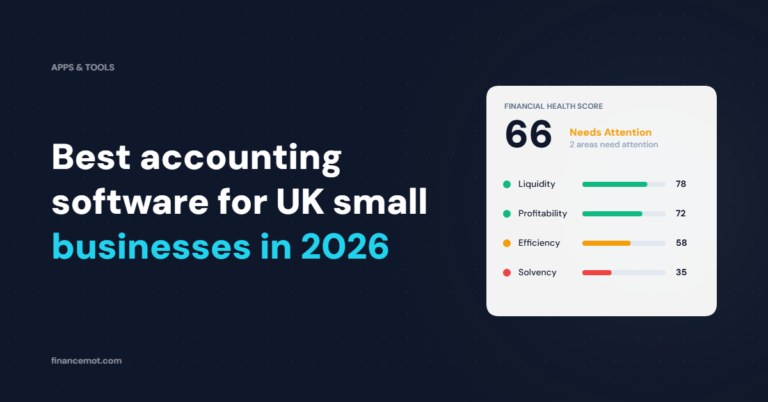
This is the gap worth naming. Xero and QuickBooks give you accurate numbers; they do not tell you which numbers should worry you. FinanceMOT reads your figures and turns them into a financial health score across Liquidity, Profitability, Efficiency and Solvency, with KPI signals that flag what needs attention and a plain English executive summary you can act on. It sits alongside your accounting software, not instead of it.